
Twitter mass unfollow: how to clear thousands of follows on X safely
- From $29/month
- 300 actions per day
- Cloud execution
Is there a mass unfollow button on Twitter?
No. X has no button that unfollows many accounts at once. You can unfollow from a profile or from your Following list, and each tap removes one account. A Twitter mass unfollow is therefore always a run of single unfollows, whether you do it by hand, with a browser extension or with a cloud tool.
Mass unfollow, bulk unfollow and batch unfollow all name the same job: removing a large number of follows by rule instead of deciding on each account. What you really choose is which accounts qualify and how many go each day.
That daily pace is the difference between a cleanup that repairs your ratio and one that gets your account restricted.
Four ways to mass unfollow on Twitter, compared
Every method works through the list one account at a time. They differ in how they decide who goes, whether they keep running when you close the laptop, and how easily they let you keep the people who matter.
For a few hundred recent follows, doing it by hand is fine. Past roughly five hundred, the slow part is not the tapping but working out who follows you back, because X only shows it on each profile. That comparison is the part a tool does for you.
| Method | How it works | Good for | Watch out for |
|---|---|---|---|
| By hand | Open your Following list and unfollow each account in turn, newest first | A few hundred recent follows | You cannot see who follows you back without opening each profile |
| Free browser extension | Clicks unfollow for you in an open browser tab | A one-off cleanup | Stops when the tab closes; check whether it can skip the people you want to keep |
| Browser console script | Code pasted into the browser that clicks through the list | Developers testing on a spare account | Breaks when X changes its pages, and it is easy to run it far too fast |
| Cloud unfollow tool | Rules and a daily number, carried out on a server | Large lists and ongoing cleanup | A monthly cost; Tweeksocial starts at $29 a month |
How to mass unfollow on Twitter with Tweeksocial
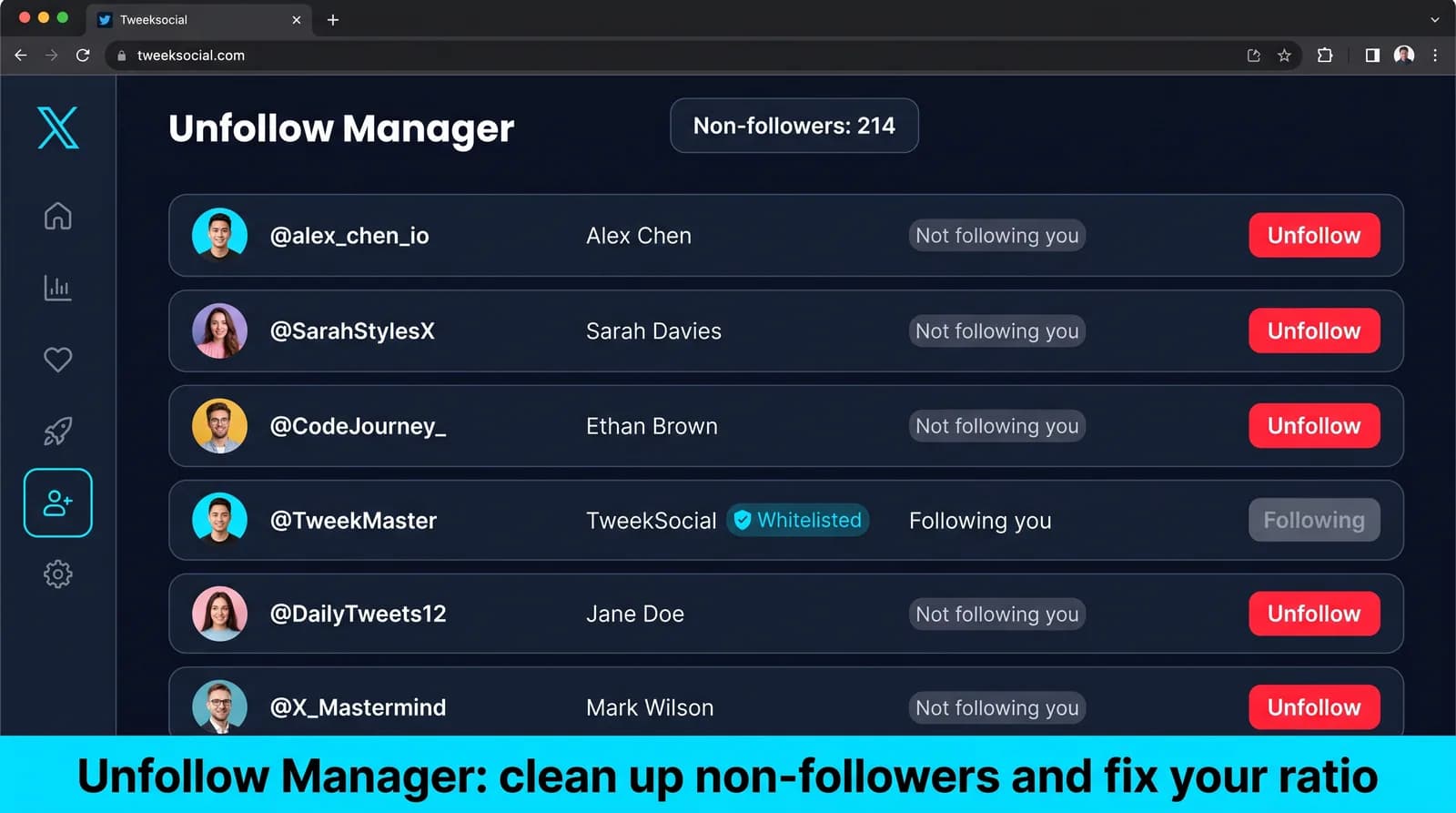
Step 1: open the Unfollow Manager. It lists every account you follow that does not follow you back, so you start from the list you actually want to clear.
Step 2: protect the people you want to keep. Import a list or pick accounts by hand for the whitelist, and turn on mutual protection so nobody who follows you is removed by an inactivity rule.
Step 3: choose the rules. Not following back after a waiting period you set (seven days suits most accounts), no posts for a number of days you set, or both.
Step 4: set the daily number. Start at the low end and raise it after a quiet week. Every plan caps all actions at 300 a day for each account, spread across your active hours.
Step 5: check the preview, then switch it on. The preview shows how many accounts each rule would remove. Every unfollow is logged with its reason and time, and you can follow anyone again from the log with one click.
The settings behind each step are explained in Twitter auto unfollow settings, and the tool itself is the Twitter/X unfollow tool.
Safe daily limits for a Twitter mass unfollow
X publishes no unfollow limit. What is consistently observable is that the shape of the activity matters more than the total — a modest number fired in one burst draws more attention than a larger number spread out.
| Account age | Unfollows per day | Spread across |
|---|---|---|
| Under 3 months | 20-30 | Active hours, randomized gaps |
| 3-12 months | 50-80 | Active hours, quiet overnight |
| Over 12 months | 100-150 | Active hours, never in one run |
| Any age | Never in one session | Bursts are the pattern that gets caught |
Choosing who to mass unfollow
Rules beat judgment at this volume, and three cover almost every case.
Non-followers past a grace period. The largest group and the clearest logic — they saw the notification and decided not to reciprocate. Leave at least seven days, ideally fourteen, because unfollowing within a day or two of following is the most heavily policed pattern on the platform.
Dormant accounts. Anyone who has not posted in six months is not reading your timeline either.
Off-niche accounts from your first months, before you knew what you were writing about.
What never goes: customers, partners, people you actually read. Build that whitelist before the first run, not after you have removed somebody you needed.
Mass unfollow everyone, or only the people who do not follow back?
Most cleanups should remove non-followers and dormant accounts and keep everyone else. That is a mass unfollow by rule, and it leaves the accounts you read and the people who follow you untouched.
Clearing the whole list is a different job, usually for a rebrand or an account that changes hands. It needs the same slow pace and takes longer, and unfollow all on Twitter/X covers how to do it.
If you only want the first group, start with how to unfollow everyone who does not follow you back. For accounts that have gone quiet, see unfollowing inactive Twitter accounts.
Why a slow bulk unfollow finishes faster
The instinct is to clear the backlog today. A profile that sheds three thousand follows in an afternoon has produced a pattern no person produces, and a restriction costs far more days than the pacing would have.
At sixty a day, three thousand accounts clears in under two months without ever looking unusual, and the ratio improves steadily throughout rather than all at once.
If you need it faster, ramp the daily number up across two weeks rather than starting high. The ramp matters more than the ceiling.
Tweeksocial runs these rules on a schedule — see auto unfollow for the settings, and unfollow all if you are clearing the entire list rather than pruning it.
How long a mass unfollow actually takes
Do the arithmetic before you start, so you are not tempted to speed up halfway through.
If a 100-day cleanup feels slow, remember the ratio took a year to build, and a restricted account costs you far more than the wait.
| Accounts to unfollow | At 50 a day | At 100 a day |
|---|---|---|
| 1,000 | 20 days | 10 days |
| 2,500 | 50 days | 25 days |
| 5,000 | 100 days | 50 days |
| 10,000 | 200 days | 100 days |
What happens after a mass unfollow
Nobody is notified. X sends no notification when you unfollow someone. A person who later visits your profile will no longer see the "Follows you" label, and that is the only trace; what X tells someone when you unfollow them has the details.
Your follower count does not change on the day. Over the following weeks, a few people who followed you only because you followed them may leave, which is why the waiting period matters.
Your following count falls, so the follower-to-following ratio that strangers see on your profile improves steadily, and your timeline starts showing more of the accounts you actually read.
Warning signs to stop immediately
Pause everything for 48 hours if unfollows start failing or not sticking, you are asked to verify you are human, you see a follow or unfollow limit warning, messages fail to send, or impressions suddenly collapse.
Then use the account normally by hand for a few days, restart at half your previous daily number and build back up over two weeks. Pushing through a warning is exactly the wrong instinct.
Every feature on every paid plan, from $29 a month
There is no feature gating at Tweeksocial. Follower Tracker, New Followers Auto DM, mass DM, Unfollow Manager, and unfollower tracking are included on every paid plan — the only difference is how many X accounts you connect.
See full pricingStarter
$29
per month
1 Twitter/X Account
Growth
$69
per month
3 Twitter/X Accounts
Pro
$119
per month
6 Twitter/X Accounts
Agency
$219
per month
10 Twitter/X Accounts
Lifetime
$499
per month
1 Twitter/X Account
Frequently asked questions
Something not covered? Email [email protected] and a human will answer.
Set rules rather than picking accounts: unfollow non-followers past a grace period, plus anyone dormant for six months or more, and let it run at a fixed daily number. X has no bulk endpoint, so every tool works through the list one account at a time — the pace is the only thing you actually control.
Conservatively 20-30 on an account under three months old, 50-80 up to a year, and 100-150 on an established account. Spread them across your active hours with randomized gaps. A burst of thirty draws more attention than a hundred spread over a day.
Unfollowing is an ordinary action and automation is permitted under X policy. What draws enforcement is the pattern — high-speed bursts, machine-even intervals, and following then unfollowing the same accounts within a day or two.
No. Engagement rate is measured against your follower count, and unfollowing changes who you follow rather than who follows you. Your followers are not notified and the denominator does not move.
Not quite. Mass unfollow usually means clearing a large group by rule — non-followers, dormant accounts — while keeping the people who matter. Unfollow all means emptying the list entirely, which is a rarer case and carries more risk if done quickly.
Yes, for a one-off cleanup. You can unfollow by hand from your Following list, or use a free browser extension while the tab stays open. Neither shows you who follows you back without opening profiles, and both stop when you close the browser. A cloud tool such as Tweeksocial keeps running on a schedule, and every plan starts with a 3-day free trial.
X does not notify anyone when you unfollow them. Someone who visits your profile afterwards will see that the "Follows you" label has gone, which is the only sign. Spreading the unfollows over days also means no single moment stands out.
In Tweeksocial, yes. Every unfollow is logged with its reason and time, and you can follow anyone again from the log with one click. Add them to the whitelist at the same time so the rules skip them from then on.
Try it on your own account before you decide
Connect an X account, run one targeted campaign at a conservative pace, and look at the follow-back rate during the trial. That is a far better test than any page like this one.