
Twitter/X Mass DM Tool
- Included on every paid plan
- 300 actions per day
- Runs in the cloud
New mass DM campaign
Step 2 of 3Hi {first_name}, the course you asked about opens tomorrow. Want the early access link?
Tweeksocial is a Twitter/X mass DM tool: it sends one personalized direct message to every follower you choose, or to a CSV list of handles, one message at a time. Each connected account sends up to 300 a day across your active hours, from the cloud app or the Chrome extension. Plans start at $29 a month, and there is a 7-day free trial with no card.
You spent two years building an audience on X. Then launch day arrives and you announce it with a single tweet that only a small fraction of your followers ever see. That is not a distribution strategy, that is a lottery ticket.
The Tweeksocial Twitter mass DM tool puts your announcement directly in the inbox of people who already chose to follow you. Upload a CSV, select your followers, or build a segment — then send a personalized message to all of them at a pace that keeps your account healthy.
Used well, one mass DM campaign outperforms a month of tweeting. Used badly, it burns the audience you spent years building. The difference is entirely in the message, and we are opinionated about that.
Updated
Twitter/X Mass DM Tool at a glance
- Who it messages
- All your followers, a filtered segment of them, or a CSV list of handles you own
- Daily volume
- 300 DMs per connected account, spread across your active hours
- Personalization
- Name, username and bio keyword filled in per recipient, plus any column from your CSV
- Where it runs
- The cloud app, which keeps sending while your laptop is off, and the Chrome extension, both in every plan
- Price
- From $29/month for one account up to $219/month for ten; 30% off when paid yearly
- Try it free
- A 7-day free trial on the Free plan: every feature, up to 10 messages a day, no card
Mass DM: the platform's numbers and ours
Where X publishes a figure that affects this feature, it is shown here next to what Tweeksocial does, with a link to the source.
| Topic | What X says or does | What Tweeksocial does | Source |
|---|---|---|---|
| Direct messages in a day | X publishes a limit of 500 DMs a day | Up to 300 DMs a day for each connected account | X limits page |
| Who can receive a DM | Each person chooses who can message them, so a message to someone who does not follow you may go to a requests folder or fail | Failed messages are logged with a reason and never retried in a loop | Why you cannot DM someone |
Watch the Mass DM walkthrough
Everything included in Twitter/X Mass DM Tool
Reach your whole follower list
Send to every follower, or slice by engagement, recency, bio keyword or follower count. Your announcement lands in an inbox instead of drowning in a timeline.
CSV import for lists you own
Already have a list of handles from research, an event, or a scraped audience you have rights to? Upload the CSV and Tweeksocial handles the rest.
Per-recipient personalization
Every message carries the recipient name and any custom fields from your CSV, so a campaign to 5,000 people still reads one-to-one.
Smart pacing across days
A 10,000-person campaign does not go out in an hour. Tweeksocial spreads it over your daily limits with randomized gaps and resumes automatically each morning.
Live delivery dashboard
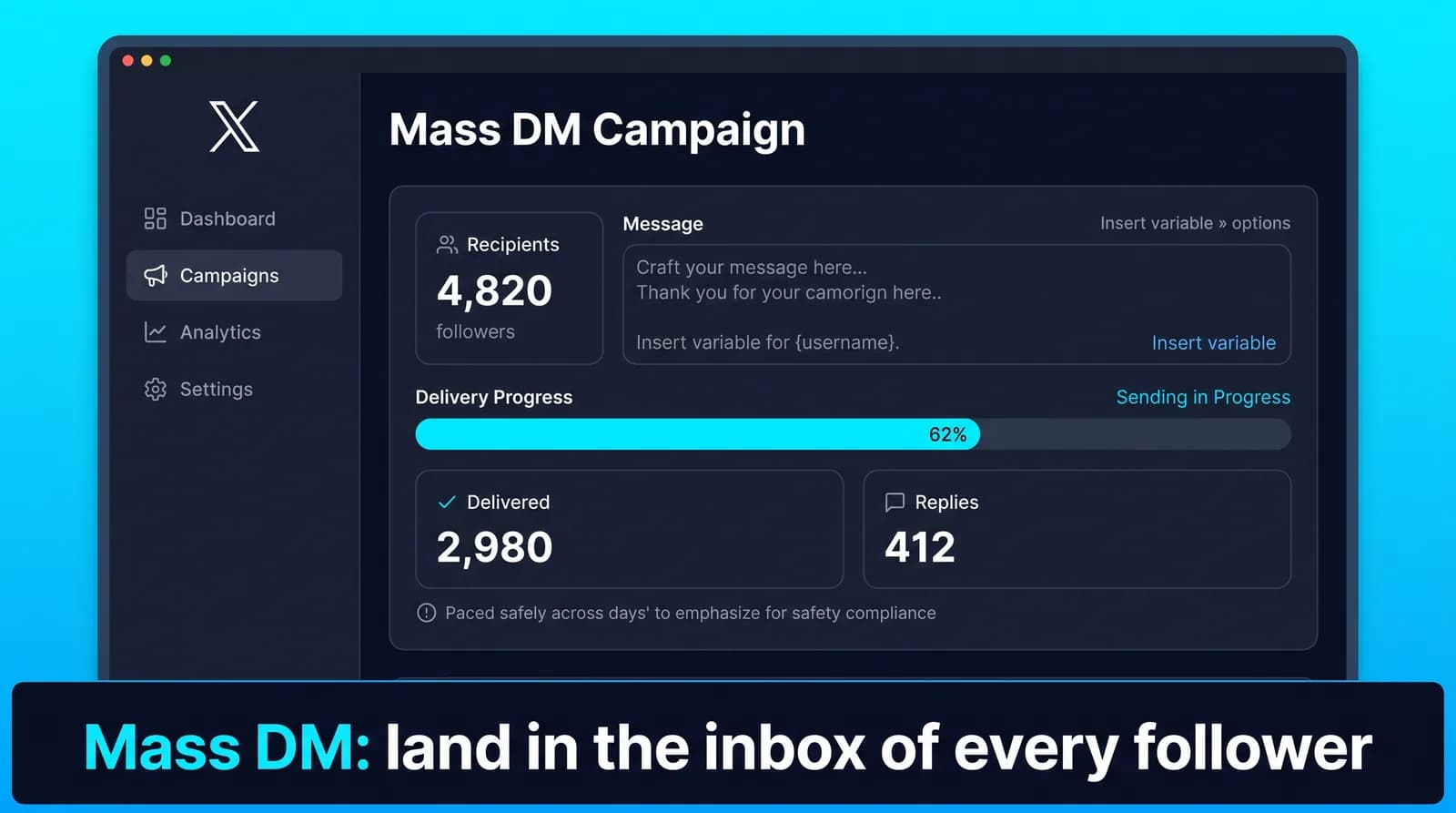
Watch sent, delivered, failed and replied counts update in real time. Pause or edit a campaign mid-flight if the early replies tell you the angle is wrong.
Built-in suppression
Anyone who replies, opts out or was messaged in a recent campaign is suppressed automatically, so you never hit the same person twice in a week.
How to mass DM your Twitter/X followers
From a cold start, most people have this running in under five minutes. The longest part is deciding who you actually want to reach.
Set it up now- 1
Build your audience
Choose all followers, apply segment filters, or upload a CSV of usernames with optional custom fields.
- 2
Write a message worth receiving
Lead with the value, not the link. One idea, one call to action, under 80 words. Insert personalization tokens where a human would use a name.
- 3
Set daily volume and schedule
Pick how many messages go out per day and inside which hours. The system estimates completion time before you launch.
- 4
Launch and monitor
The campaign runs in the cloud. You watch delivery and replies roll in, and you can pause at any moment.
- 5
Follow up with the repliers
Export or filter everyone who responded and continue those conversations personally. That is where the revenue actually happens.
What a Twitter mass DM tool actually does
A Twitter mass DM tool sends the same message to many people, one direct message at a time, spaced out over hours or days. It is not a broadcast. Every message is delivered individually, which is why it lands in a real inbox and why it takes time.
The mechanics matter because they set your expectations. Sending to 3,000 followers is not an afternoon job. At 300 messages a day per account it is a ten-day campaign, running quietly in the background while you do other things.
Twitter mass DM and X mass DM describe the same thing. The platform renamed itself; direct messages work exactly as they did.
Who you can actually message
This is the constraint most tools do not mention until after you have paid, so here it is first: on X you can only DM someone who follows you, unless they have opened their inbox to everyone or you both have a premium subscription.
In practice that means your own follower list is your addressable audience. A mass DM campaign to your followers is straightforward. Cold outreach to people who have never followed you is largely closed off, and any tool promising otherwise is either describing the premium-account edge case or describing something that will get your account restricted.
This is why the sequence matters more than the send. Grow a relevant follower base first with auto follow, and your mass DM audience builds itself. Skip that step and you have a great tool with nobody to send to.
Mass DM, bulk DM, X outreach — what people mean
These are the same mechanic under different names, and the naming causes more confusion than it should.
Mass DM, bulk DM, bulk messaging and mass message sender all describe sending one message to many recipients, delivered individually. Tweeksocial does this whether you call it a bulk Twitter DM or an X mass DM.
X outreach is the broader term. It covers the messaging, but also the steps around it — finding the right people, following them, and greeting the ones who follow back. A mass DM is one part of an outreach sequence rather than a synonym for it.
The one term worth avoiding is DM blaster. It describes the thing that gets accounts restricted: identical messages, maximum speed, no targeting. Same button, but the approach is what decides whether you end up with replies or a suspension.
Why bulk sending has to be slow
X caps how many DMs an account can send in a day, and accounts sending hundreds of identical messages in a short window get rate-limited first and reported second.
Tweeksocial caps every plan at 300 messages a day per connected account and spreads them across your active hours with randomized gaps. On Growth that is 900 a day across three accounts, 1,800 across six on Pro, 3,000 across ten on Agency — not because more accounts raises the per-account ceiling, but because each account carries its own.
Before a campaign launches, the tool estimates the completion date from your list size and daily limit. If that date is three weeks out, better to know before you start than to discover it on day four.
The slow pace is also what protects reply quality. Fifty messages a day that you can actually respond to beats three hundred that pile up unanswered.
Writing a mass DM that gets replies instead of reports
The difference between a campaign that works and one that gets you blocked is almost entirely the first line.
What fails: opening with a pitch, opening with a link, opening with anything that reads as templated. People recognize a blast in about two seconds, and the report button is right there.
What works: a short message that could plausibly have been typed by hand, referencing something true about the recipient, asking a question that is easy to answer. Under forty words. No link in the first message — if the conversation goes anywhere, you can send one in the second.
A reasonable opener looks like: "Hey {{name}} — saw you follow a few people in the analytics space. Working on anything interesting there at the moment?" That is it. No pitch, no link, an easy reply.
Test two openers against a few hundred recipients before committing the whole list. A five-point difference in reply rate across 3,000 messages is the difference between a good week and a wasted one.
Personalization that is worth the effort
Tweeksocial fills {{name}}, {{username}} and {{bio_keyword}} per recipient. The first two are table stakes. The third is the one that changes results, because it references something the person actually wrote about themselves.
Be careful with it though. Personalization tokens fail loudly: a bio with no usable keyword produces an awkward sentence, and a display name like "kate | building something" inserted after "Hey" reads badly. Preview a sample before sending, and write the sentence so it still reads properly if the token resolves to something odd.
The honest limit: personalization makes a templated message less obviously templated. It does not make it a personal message. For a list of twenty high-value prospects, write them by hand. Mass DM is for the three thousand you never could.
CSV lists: what you can and cannot upload
You can upload a CSV of usernames you have gathered yourself — event attendees, newsletter subscribers who gave you their handle, people who replied to a thread. Tweeksocial works through that list applying the same pacing and the same limits.
What the CSV does not do is bypass the follow requirement. If someone on your list does not follow you and has a closed inbox, the message fails, and a campaign full of failures is a signal you do not want. The delivery dashboard reports failures separately from sends so you can see this happening rather than guess.
Clean the list before uploading. Dead handles, typos and accounts that have since gone private all cost you delivery rate.
Measuring a campaign properly
Sent is not a metric. The numbers that tell you anything are delivery rate, reply rate and what happened after the reply.
Delivery rate below 90 percent means a list problem — stale handles, or people who no longer follow you. Reply rate is the real signal, and the useful comparison is between two openers sent to your own list, not against someone else's benchmark. When one opener clearly trails the other, the message is the problem, not the audience.
Watch the shape of the replies as well as the count. Twenty polite non-answers is worse than five real conversations, and only one of those shows up in a percentage.
Segmenting a mass DM so it reads as relevant
Sending one message to your entire follower list is the lazy version, and it shows. Four cuts make the same campaign read as relevant.
By recency: people who followed in the last 90 days are far warmer than people who followed three years ago and forgot, so message them separately with different framing. By engagement: followers who have replied or liked recently are your best audience and deserve a different message from the silent ones.
By bio keyword: if you serve two distinct audiences, say founders and marketers, write two messages. By previous campaign: anyone messaged in the last month should generally be left out.
Segmenting takes ten extra minutes, and it lets each message be specific rather than generic, which is the whole difference between a reply and a mute.
How often to send a mass DM
Volume is a pacing question. Frequency is a relationship question, and it is the one that does lasting damage.
Message your followers once a quarter about something genuinely significant and people are pleased to hear from you. Message them every two weeks and you become the account people mute.
A useful test before every campaign: would you be glad to receive this from someone you follow? A launch clears that bar, and so does a genuinely useful free resource. A weekly newsletter promotion does not.
Mistakes that cost people their audience
Sending a bare link with no context, which is the fastest way to be reported. Messaging everyone every week, which wears out an audience faster than any single bad message.
Skipping segmentation, so a generic message lands on a mixed audience it is irrelevant to. Launching without the capacity to reply, so two hundred people answer and hear nothing back.
And skipping the test batch. Send to fifty people first, read the replies, fix the message, then release the rest. It costs one day and saves whole campaigns.
When not to send a mass DM
If your message is genuinely a broadcast — a product update, a sale, a newsletter — post it instead. DMs are a limited resource and spending them on something that belongs in a timeline burns the channel.
If you cannot answer the replies, do not send. A campaign that generates 200 conversations you ignore is worse than no campaign, because the people who bothered to reply now know you were not really talking to them.
And if you are about to message the same list for the second time this month, wait. The fastest way to lose a follower list is to treat it as a mailing list.
Used properly, a mass DM sits at the end of a sequence: follow the right people, greet them with a welcome DM, and only reach for a campaign when you have something genuinely worth the interruption.
Step-by-step guides
- How to send a mass DM to all your Twitter followersChoosing the audience, structuring the message and pacing it, step by step.
- 9 Twitter mass DM templates that get repliesWelcome, launch, outreach and re-engagement templates, with the reasoning.
- How many DMs can you send on Twitter per day?Daily DM limits by account type and how to pace a campaign.
- How to mass DM Twitter accounts for leadsBuilding lists, writing messages that convert and measuring results.
- Twitter mass DM tool: message thousands of followers safelySegmentation, message structure, safe daily limits and how often to send.
- Best time to send Twitter DMsTime of day, day of week and timezone matching.
- Best Twitter/X mass DM tools, comparedTweeksocial and the alternatives, from their published pricing.
- Best Twitter/X mass DM senderWhich sender fits which job, with eight things to check before you pay.
- Help: running your first mass DM campaignSetting up a campaign inside Tweeksocial.
- How to DM on Twitter/X: the complete guideSending, message requests, group chats, Chat and daily limits.
- Why you cannot DM someone on Twitter/XEvery reason a message will not send, and how to fix each one.
- Group DM vs mass DM on Twitter/XWhich to use, and why a group makes a poor broadcast.
- How to export your Twitter followers to a CSVThree ways to get a list you can upload and message.
- Twitter/X mass DM for OnlyFans agenciesRunning campaigns across several creator accounts.
- Twitter/X DM outreach for crypto projectsAnnouncements, new followers and messages people can trust.
Twitter/X Mass DM Tool is a good fit if you are…
It is not for everyone, and we would rather tell you that up front than take a month of your subscription before you work it out yourself.
- Product launches and pre-orders
- Course and cohort enrollment pushes
- Webinar and event invitations
- Agencies running client campaigns at scale
How Mass DM compares with other tools
Our comparisons use each vendor’s own published prices and features, and say where another tool fits better.
Every Tweeksocial plan includes 300 messages per day per connected account, which is the ceiling we consider safe long term. Larger campaigns simply run across more days, or across more connected accounts on the Growth, Pro and Agency plans.
Yes. Upload a CSV of handles with as many custom columns as you like, and reference those columns as personalization tokens inside your message.
Short, specific and generous. Something like: "{{name}} — I put together a free 12-minute walkthrough of the exact system I used to go from 0 to 30k on X. No signup, here it is: [link]. Happy to answer questions." It gives before it asks.
Yes. The campaign dashboard separates delivered, failed and replied, and you can open any conversation directly. Repliers are removed from remaining automated sends so you can take over personally.
Usually it means the recipient has closed DMs or has blocked message requests. Those are logged as failed with a reason, skipped, and never retried in a loop.
A few, always. A relevant, well-written campaign sent once a quarter loses very few; a generic weekly blast loses a lot. Watch your unfollow rate while a campaign runs, because it is the earliest warning you get.
Once a quarter suits most accounts. Run one more often only if you genuinely have something each time that a follower would be glad to receive.
Yes. Every plan includes the Tweeksocial Chrome extension, which sends mass DMs from your browser, as well as the cloud app, which keeps campaigns running while your laptop is off.
In the cloud app, yes. Campaigns run on our servers across your active hours and pick up again each day until the list is finished.
Mass DM is included in every plan: Starter is $29 a month for one account, Growth $69 for three, Pro $119 for six and Agency $219 for ten. Paying yearly takes 30% off, and there is a 7-day free trial with no card.
The rest of the toolkit
Twitter/X Mass DM Tool works best alongside the other five. Every plan includes all of them, so there is nothing to upgrade to.
Twitter/X Auto Follow
Twitter and X auto follow that targets the right people: follow back new followers the same day, auto follow the followers of any account in your niche, and keep every action human-paced.
Learn moreTwitter Welcome DM
A Twitter welcome DM that greets every new follower with a message sounding like you wrote it — and fires the moment someone messages you. Automatically triggered, personalized with their name, and paced to read like a real person.
Learn moreTwitter New Followers DM
Automatically DM every new follower on Twitter (X) the moment they follow you — a personalized new followers DM that turns a silent follow into a real conversation, sent on a human-paced schedule.
Learn moreTwitter/X Auto Unfollow
Auto unfollow on Twitter and X: clear the followers who never followed back, the accounts that went quiet two years ago and the ones that were never relevant — without touching the people who matter.
Learn moreTwitter Unfollower Tool
See who unfollowed you on X and when, find everyone who does not follow you back, and unfollow them from the same list.
Learn morePut Mass DM to work this week
Connect your X account, run one campaign at a conservative pace, and judge it on the follow-back and reply numbers you see during the trial. That is the only test that matters.