
Twitter Unfollower Tool
- Included on every paid plan
- 300 actions per day
- Runs in the cloud
Who unfollowed you
● TrackingUnfollowed this week
12
Not following you back
214
Today
Yesterday
Tweeksocial's Twitter unfollower tool shows who unfollowed you on X and when it happened, and lists every account you follow that does not follow you back, so you can unfollow them. It tracks your followers from the cloud and is included in every plan, from $29 a month with a 7-day free trial.
X will happily tell you that your follower count dropped by 14. It will never tell you which fourteen. For anyone treating the platform as a business channel, that missing detail is the difference between learning something and guessing.
Tweeksocial tracks your follower list continuously and shows you every departure with a timestamp. Correlate that with your posting history and patterns appear fast: a certain topic costs you followers, another one gains you the right ones.
It also flags the followers who are technically there but functionally absent — the dormant accounts and obvious bots inflating a number that means nothing.
Updated
Twitter Unfollower Tool at a glance
- Who unfollowed you
- Every account that unfollows you, with the date it happened
- Not following back
- A list of the accounts you follow that do not follow you back
- Unfollowing them
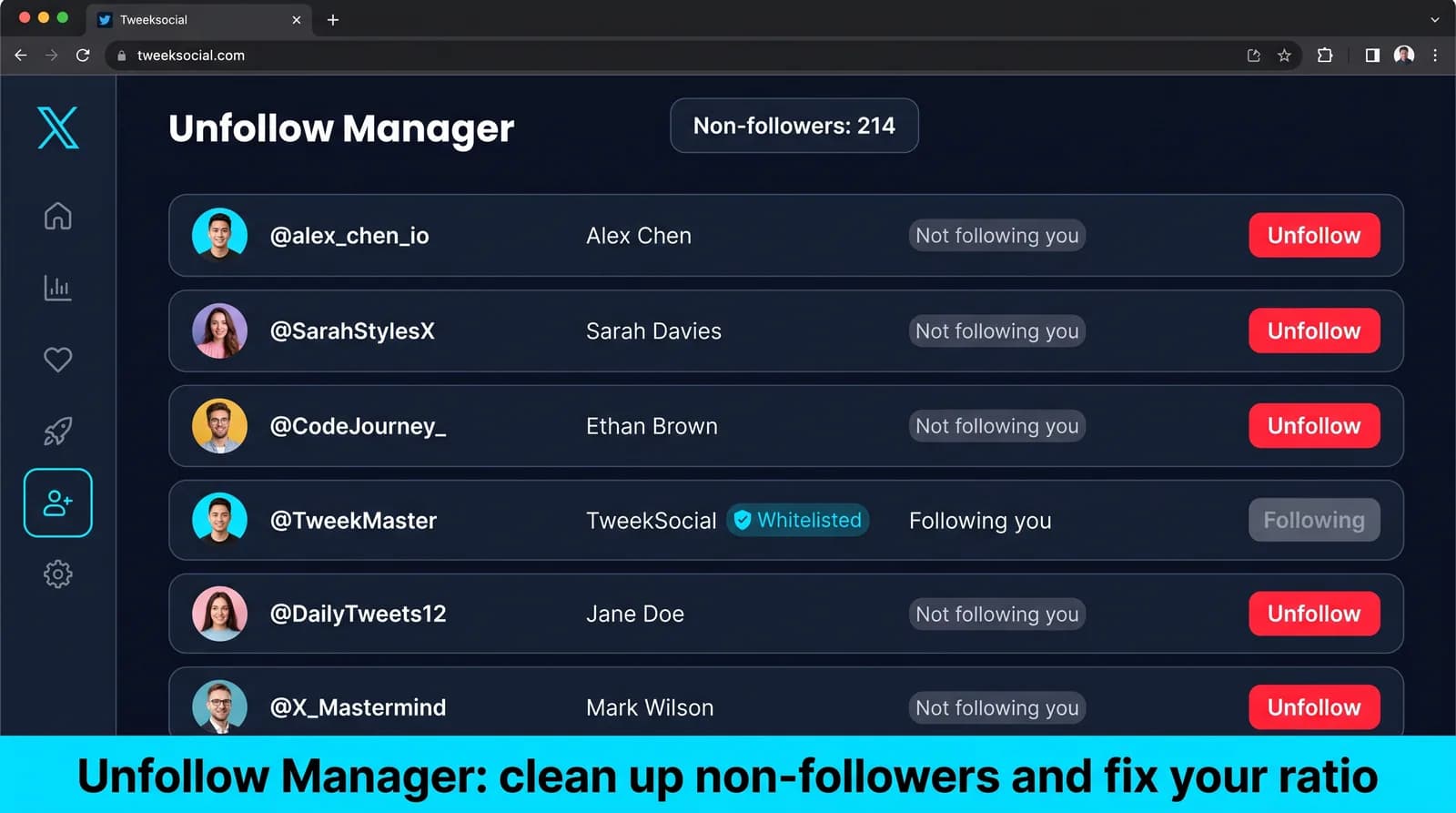
- Unfollow from the list, or hand it to auto unfollow to work through a few a day
- Where it runs
- In the cloud, so tracking carries on while your laptop is off
- Price
- Included in every plan, from $29/month; 30% off when paid yearly
- Try it free
- A 7-day free trial on the Free plan: every feature, up to 10 messages a day, no card
Who Unfollowed: the platform's numbers and ours
Where X publishes a figure that affects this feature, it is shown here next to what Tweeksocial does, with a link to the source.
| Topic | What X says or does | What Tweeksocial does | Source |
|---|---|---|---|
| A list of who unfollowed you | None. X shows a follower count and does not list who left | A dated list of departures, plus everyone you follow who does not follow you back | Track who unfollowed you |
| Notification when you unfollow | None. X does not tell the person, though they can see the follow is gone if they look at your profile | Removals are spread through the day, and every one is logged and reversible | Does X tell someone when you unfollow? |
Everything included in Twitter Unfollower Tool
See exactly who unfollowed you
A dated list of departures with profile details, not a number that dropped overnight. Export it whenever you need it.
Correlate churn with content
Line your unfollows up against your posting history and find out which topics, formats and hot takes actually cost you audience.
VIP alerts
Add clients, partners, prospects and key journalists to a watchlist and get notified the moment any of them leaves — while there is still time to do something about it.
Ghost follower detection
Surface followers who have not posted in months or show clear bot signatures, so you know what your real reachable audience looks like.
Growth trends over time
Daily net growth, gross gains, gross losses and churn rate charted over weeks and months. Vanity numbers become useful signals.
Works at any account size
From 500 followers to 500,000, tracking runs server-side and stays fast. No browser extension slowly chewing through your follower list.
How to see who unfollowed you on Twitter/X
From a cold start, most people have this running in under five minutes. The longest part is deciding who you actually want to reach.
Set it up now- 1
Connect your account
Tweeksocial takes a baseline snapshot of your current followers within minutes of connecting.
- 2
Let it watch
Follower lists are re-scanned on a schedule, and every addition or removal is recorded against a timestamp.
- 3
Read the report
Open the dashboard for a dated feed of gains and losses, plus charts of net growth and churn.
- 4
Set your alerts
Choose which accounts trigger a notification and how you want to hear about it.
- 5
Act on what you learn
Block bots, re-engage a lapsed client, or quietly stop posting the thing that costs you 30 followers each time.
What a Twitter unfollowers tracker does
An unfollowers tracker records who follows you and compares that list against itself over time. When somebody disappears between one check and the next, it logs the account and the date.
X does not tell you when somebody unfollows. Your count drops, and that is the whole notification. A tracker exists to supply the part the platform leaves out: the name, and the day it happened.
The date is what makes it useful. A number going down tells you nothing actionable. A date lines up against what you posted.
Why bother tracking unfollows at all?
Because it is the only direct feedback X gives you about content people disliked enough to act on.
Likes and replies tell you what worked. Unfollows tell you what cost you, and they are the more honest signal, because leaving takes more effort than scrolling past.
The pattern is usually more interesting than the individuals. Fifteen people leaving the day after a particular thread is information. One person leaving on a quiet Tuesday is noise, and treating it as anything else is a good way to make yourself miserable.
Reading the data without driving yourself mad
A baseline first: every account loses followers continuously. Somewhere between 0.5 and 2 percent a month is ordinary churn — people leaving the platform, cleaning their feed, or changing interests. None of it is about you.
What deserves attention is a spike: a day well outside your normal range. Line that date up against your posting history and you usually find the cause within a minute.
Sometimes the answer is that you posted something divisive and would post it again. That is a legitimate conclusion. The point of the data is to make the trade visible, not to push you toward writing nothing anybody could object to.
Ghost followers and why the number is not the goal
A ghost follower is an account that follows you but has not posted, liked or logged in for months. They inflate your count and deflate everything that matters, because engagement rate is measured against followers.
Two accounts with 10,000 followers can have completely different reach if one list is real and the other is a third dormant. The second account looks identical on paper and performs far worse.
Tweeksocial flags dormant accounts by last-activity date so you can see what proportion of your audience is genuinely there. Most people find the figure higher than they expected, particularly if they have ever used follow-for-follow tactics.
VIP alerts: the one unfollow worth knowing about immediately
Most unfollows do not need a notification. A few do.
If a customer, a partner, a journalist who covers your space or somebody you have been in conversation with unfollows, that is worth knowing the same day — not because you should chase them, but because it often signals something you can still address.
Add those accounts to a VIP list and Tweeksocial alerts you only for them. Everything else stays in the report where it belongs.
What to do with what you find
Mostly nothing. That is the honest answer, and it is worth saying because the temptation is to react to every data point.
Three things are genuinely actionable. If a spike lines up with a content change you did not intend, reconsider it. If a large share of your audience is dormant, stop optimizing for follower count and start optimizing for replies. And if the same category of person keeps leaving, your positioning has drifted from the audience you built.
Do not chase people who left, and do not let the report change what you publish week to week. Use it monthly, look for patterns, ignore the individual names.
Pair it with the Auto Unfollow side of the equation and you have both halves of your follower graph: who left you, and who you are still following for no reason.
The limits of any unfollower tracker
No tool sees an unfollow as it happens. Every tracker works by comparing snapshots, so the resolution is however often it checks — daily, in Tweeksocial. Somebody who follows and unfollows within the same day may never appear.
No tool can tell you why. It supplies a name and a date; the reason is your inference, and it is worth holding those inferences loosely.
And no tracker recovers a lost follower. This is diagnostic information for your own decisions, not a retention mechanism. Anybody selling it as the latter is overpromising.
Step-by-step guides
- How to see who unfollowed you on Twitter/XEvery way to find out, and what to do with the answer.
- Track Twitter followers and unfollowersHow follower tracking works and which numbers are worth acting on.
- Unfollow non-followers on TwitterClearing the accounts that do not follow you back, safely.
- Twitter/X auto unfollowHand the not-following-back list to a daily unfollow rule.
- Best Twitter unfollower tools, comparedTweeksocial and the alternatives, from their published pricing.
- Best tool to unfollow non-followersAutomatic, bulk or one click: which tool fits which way of working.
- Twitter follower analytics: what to trackChurn, follow-back rate and the numbers worth watching.
- Remove followers on Twitter/X vs unfollowingWhat each action does and when to use which.
- Who does not follow me back on Twitter?Three ways to check, and what to do with the list.
- Why am I losing followers on Twitter/X?The real reasons behind follower drops, and which are worth fixing.
- Does X tell someone when you unfollow them?What people see when you unfollow, remove, mute or block them.
- How to remove bot and ghost followers on Twitter/XSpotting fake followers and clearing them out.
Twitter Unfollower Tool is a good fit if you are…
It is not for everyone, and we would rather tell you that up front than take a month of your subscription before you work it out yourself.
- Creators tracking which content earns and loses audience
- Agencies reporting audience health to clients
- Founders monitoring key prospects and partners
- Anyone tired of guessing why the number moved
How Who Unfollowed compares with other tools
Our comparisons use each vendor’s own published prices and features, and say where another tool fits better.
Within hours. Tweeksocial re-scans your follower list on a rolling schedule, and VIP watchlist accounts trigger a notification as soon as the change is detected.
Yes. Every follow and unfollow since you connected your account is retained, so you can look back across weeks or months and spot the pattern rather than reacting to one bad day.
It does. Scanning runs on our servers rather than in your browser, so accounts with hundreds of thousands of followers are handled without you leaving a tab open.
We look at posting recency, follower-to-following ratio, default profile signals, account age and activity patterns. Anything suspicious is flagged for your review — we never remove followers without your say-so.
No. Tracking is entirely passive and reads public follow relationships. Nobody receives a notification of any kind.
Yes, unfollower lists and growth reports export to CSV, which is what most agencies use to build their monthly client reporting.
No. X shows your follower count but sends no notification when someone unfollows, and there is no list of recent unfollowers in the app. A tracker compares your follower list over time to find out who left.
Yes. Tweeksocial lists every account you follow that does not follow you back. Unfollow them from that list, or let auto unfollow work through it a few a day.
It is included in every Tweeksocial plan, from $29 a month for one account to $219 for ten, with 30% off when paid yearly. There is a 7-day free trial with no card.
The rest of the toolkit
Twitter Unfollower Tool works best alongside the other five. Every plan includes all of them, so there is nothing to upgrade to.
Twitter/X Auto Follow
Twitter and X auto follow that targets the right people: follow back new followers the same day, auto follow the followers of any account in your niche, and keep every action human-paced.
Learn moreTwitter Welcome DM
A Twitter welcome DM that greets every new follower with a message sounding like you wrote it — and fires the moment someone messages you. Automatically triggered, personalized with their name, and paced to read like a real person.
Learn moreTwitter New Followers DM
Automatically DM every new follower on Twitter (X) the moment they follow you — a personalized new followers DM that turns a silent follow into a real conversation, sent on a human-paced schedule.
Learn moreTwitter/X Mass DM Tool
Message your entire follower base — or an imported list — for a launch, a webinar or an offer, with personalization, pacing and delivery reporting built in.
Learn moreTwitter/X Auto Unfollow
Auto unfollow on Twitter and X: clear the followers who never followed back, the accounts that went quiet two years ago and the ones that were never relevant — without touching the people who matter.
Learn morePut Who Unfollowed to work this week
Connect your X account, run one campaign at a conservative pace, and judge it on the follow-back and reply numbers you see during the trial. That is the only test that matters.